 Digital Sense

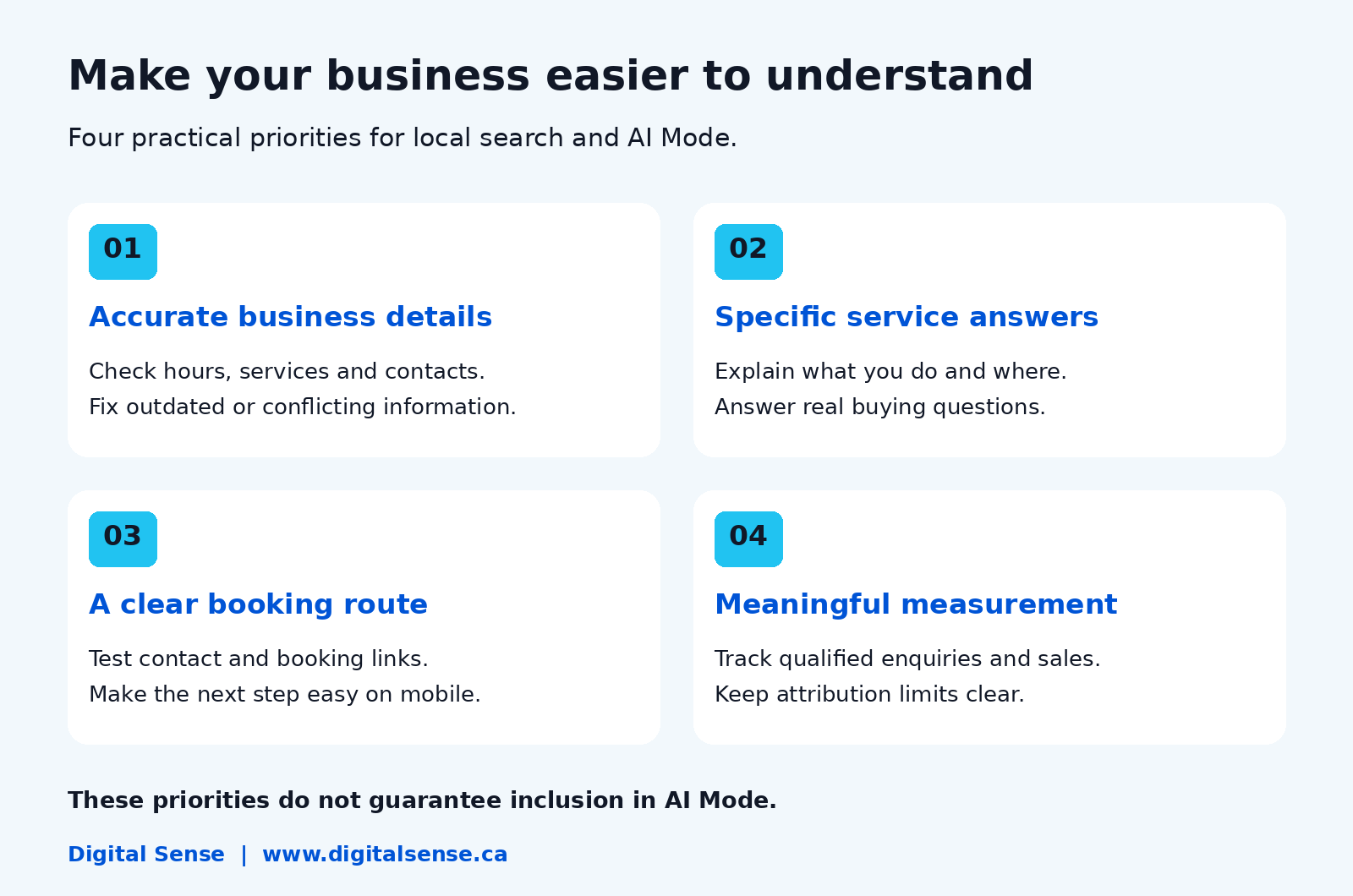
Google AI Mode lets people ask detailed questions, compare options and continue with follow-up questions in an AI-powered search experience. For local businesses, it creates another way customers may discover and evaluate providers. Accurate business details, useful website answers and a simple route to book or enquire are practical priorities.
Your next customer might ask more than “salon near me.” They might ask for a salon nearby that offers a specific service, opens after work and explains its prices clearly.
If those details are missing from your online presence, customers have less information to work with.
The opportunity is to make your business easier to understand and choose. That does not mean there is a shortcut that guarantees an AI recommendation.
What is Google AI Mode, and how does it differ from AI Overviews?
AI Mode is a dedicated conversational search experience. AI Overviews are summaries that can appear within the usual search results. Both can link to websites, but they are not interchangeable views of the same answer.
| Search experience | What the customer does | What a local business should understand |
| Standard Search and Maps | Looks through relevant pages and local listings | Website and local visibility still matter |
| AI Overviews | Reads an AI summary when Google presents one | A summary may answer part of the question before a click |
| AI Mode | Asks a detailed question and explores follow-ups | Business comparisons can include several needs at once |
AI Mode can divide a question into related searches, a process Google calls query fan-out. This helps it investigate different parts of a request rather than relying on one short query.
For a business owner, the practical implication is straightforward: explain the details that help customers decide whether you fit their needs.
How could AI Mode change the way people find local businesses?
It can bring discovery, comparison and next steps into a more connected search conversation.
Google has introduced local place cards that can show information such as opening hours, reviews and ratings, with routes to call or get directions.
It also documents capabilities for researching availability and pricing, with access conditions that vary by feature. The examples below illustrate possible customer questions. They are not real search-volume data or screenshots of guaranteed results.
| Business | Example customer question | Information worth making clear |
| Café | “Where can I meet a client near Vaughan with parking and a quiet seating area?” | Location, parking and an accurate description of the space |
| Salon | “Which nearby salons offer curly hair consultations after 6 p.m.?” | Actual services, consultation process and hours |
| Repair company | “Who repairs dishwashers in my area, and how do callout fees work?” | Coverage, appliance types and fee explanation |
| Restaurant | “Where can six people book dinner with vegetarian options?” | Current menu, booking route and group arrangements |
Do not add services, facilities or availability simply to match a desirable query. An accurate answer that rules out a poor fit can save both the customer and your team time.
Does Google AI Mode replace local SEO?
No. Google says existing SEO best practices remain relevant to AI Mode and AI Overviews. There is no special AI Mode optimisation requirement.
Local search fundamentals also remain useful. Google describes relevance, distance and prominence as the main factors in local ranking. Those local ranking principles should not be presented as a complete published formula for AI Mode recommendations.
Think of local SEO as the foundation for clear business information and discoverability. AEO adds an editorial focus on answering customer questions directly. Neither gives an agency control over Google’s choices.
Also Read: How to Respond to Negative Google Reviews (With Templates)?
What should you update on your Google Business Profile?
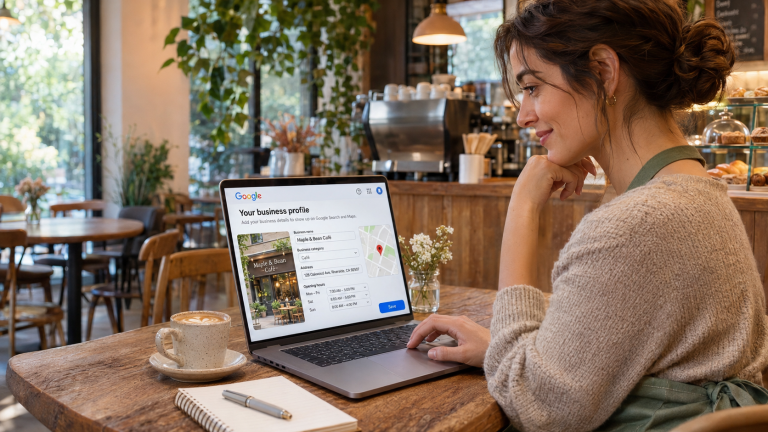
Check the details customers rely on before they visit or call: the business name, appropriate category, contact information, location or service area, hours and relevant links.
Google recommends complete, accurate Business Profile information for local visibility.
Start with a practical accuracy check:
- Do holiday hours reflect when someone will actually answer or open the door?
- Does the linked website describe the same services?
- Does the booking link reach the correct business or location?
- Are listed facilities and attributes accurate?
- Do current photos help a customer recognise the premises or understand the service?
For example, a restaurant with a current menu on its website but an outdated ordering link on its profile creates avoidable confusion. Fix that inconsistency before looking for an advanced AI tactic.
These checks improve the quality of the information you provide. They are not a promise of AI Mode inclusion.
What should your website say to answer more specific local searches?
Describe what you do, who you help, where you operate and what happens next. Then answer the questions your team hears before a booking or purchase.
Compare these two illustrative descriptions:
| Vague copy | More useful copy, if factually accurate |
| “We provide excellent appliance services.” | “We repair dishwashers and washing machines in Vaughan. Contact us with the appliance brand and issue to confirm service availability.” |
| “Visit us for a great dining experience.” | “View our vegetarian menu options and reserve a table online. Contact the restaurant for groups larger than six.” |
The stronger versions offer specific information. They do not need repeated mentions of “best,” “near me” or every surrounding city.
Put important answers on the relevant service or location page rather than hiding everything in a large FAQ page. Useful topics may include pricing factors, appointment preparation, exclusions, coverage and how to request a quote.
This is a content recommendation based on customer needs, not a claim that a particular sentence structure triggers AI selection.
Do you need special schema or an AI file to appear?
Google says no special schema or AI text file is needed for its AI search features. A webpage must be indexed and eligible for a search snippet to qualify as a supporting link; eligibility does not guarantee inclusion.
That distinction matters: webpage citation eligibility is not the same as a local business card or listing appearing.
Use structured data where appropriate for the page, and keep it consistent with visible information. Ask your provider what any proposed technical change does before paying for an “AI-ready” add-on.
Will AI Mode reduce clicks to your website?
It may change when customers click, but you should not assume a specific traffic loss or gain for your business without evidence.
A person may find opening hours without visiting the website. Another may follow a link to examine services or complete a booking. Those are different customer journeys, and click totals alone do not explain their value.
Track what the business needs: qualified enquiries, attended appointments, completed orders and new customers. If traffic changes, investigate the affected pages and queries alongside seasonality, other marketing and website changes.
Do not label every rise or fall as an AI Mode effect.
How can you measure AI Mode visibility without overstating results?
Use available search reporting, business interactions and customer records together, while being explicit about attribution limits.
Google currently includes traffic from AI features in Search Console’s overall Web search performance reporting. That combined data should not be labelled an AI Mode-only traffic total. [2]
| Measurement | What it helps you assess | What it cannot prove alone |
| Search Console queries and pages | Changes in relevant search visibility and clicks | Exactly how much change came from AI Mode |
| Website enquiries and bookings | Whether visits lead to meaningful actions | Which earlier search experience caused the sale |
| Available Business Profile interactions | How customers interact with the profile | A separate AI Mode attribution total |
| Consistent manual checks | Whether a business or page appears for a recorded question | A universal ranking or every user’s experience |
For manual checks, record the question, date, location context and observed links. Repeat a small set of meaningful questions, not hundreds of arbitrary prompts. Treat the results as observations rather than a stable ranking score.
Ask customers how they found you when appropriate, but recognise that people may remember “Google” without knowing which feature they used.
What should local businesses avoid doing?
Avoid spending on promises that cannot be verified or creating information that misrepresents the business.
Watch for guaranteed AI placement, claims of a fixed “AI Mode ranking formula,” invented customer reviews and dozens of nearly identical location pages. A screenshot of one recommendation is not proof of sustained lead generation.
Also avoid changing your business description to chase every possible query. Your content should describe an operation you can actually deliver.
The strongest question to ask a provider is: “What will you improve, and how will we know it helped customers?”
What should you prioritise over the next 30 days?
Use the first month to correct important gaps and establish a baseline. This is a work plan, not a promise of results within 30 days.
| Period | Priority | Concrete deliverable |
| Week 1 | Audit the information customers see | Corrected hours, contact details and broken links |
| Week 2 | Review one high-value service page | Clear service, coverage and next-step information |
| Week 3 | Answer recurring buying questions | Accurate answers reviewed by someone who knows the service |
| Week 4 | Test enquiries and establish reporting | Working booking or contact route and a measurement baseline |
Assign someone to keep the information current. A well-written page still needs updating when services, prices or availability change.
Need help making your business easier to find and understand?
Your next customer may arrive with a detailed question. Give them a clear reason to consider your business.
Digital Sense supports Google and local visibility, AI search visibility, websites and customer follow-up. Discuss your current online presence with the team and identify the improvements that deserve attention first.
Frequently asked questions about Google AI Mode
Is Google AI Mode available in Canada?
Yes. Google’s current availability guidance includes Canada. Access to particular capabilities can depend on language, account, age, device or location. Do not assume that a feature announced for another country is automatically available to every Canadian user.
Can a small business appear without a large SEO budget?
There is no published minimum SEO spend required for inclusion. A smaller business can improve its information and website, but neither budget size nor completion of a checklist guarantees a recommendation. Prioritise accurate details and useful pages within your resources.
Does ranking well in Google Maps guarantee an AI Mode recommendation?
No. A Maps position is not a promise of inclusion in an AI response to a different question. Google has not published a rule that converts a specific Maps rank into a guaranteed AI Mode recommendation. Evaluate each experience separately.
What should you do if AI Mode shows incorrect business information?
Check your website, Business Profile and any cited source for outdated details, and correct the information you control. Use the response feedback option to report the error. Keep a record of the question and issue; corrections may not appear immediately or in every response. Google acknowledges that AI Mode can make mistakes.
You may also like

Want to know where your customers are slipping away?
A live look at your website, Google listing and follow-up, plus a written report in 48 hours.